Silver Palace Casual Mode vs Classic: Difficulty Explained
Guide · Beta data, not officially confirmed · By Lorenzo Bruno · Updated 31 October 2026 · 9 min read

Written by
Pyrrh Gacha
Pyrrh Gacha's beta guide supplied the three Casual Mode HUD frames (1:28 and 6:28) and the only first-hand account of the fight modes, including the three-tier description; Blue Screen Of Tech supplied the in-game Tutorials > Battle > Difficulty text (0:47), credited in the text.
On this page
- Does Silver Palace have an easy mode?
- Classic vs Casual: what changes?
- How do you turn on Casual Mode?
- What does Casual Mode do in a fight?
- Is there a third, auto-fight mode?
- What the HUD shows in Casual Mode
- Does Casual Mode affect endgame or rewards?
- What does Classic ask you to learn?
- Should you play Classic or Casual?
- Does Casual Mode work on controller and mobile?
- Sources
Silver Palace has two combat difficulties, Classic and Casual, picked in Settings - Combat; Casual Mode lets repeated left-clicks chain combos for you. Elementa's Combat Edition post (22 July 2026) adds that Casual Mode slows time and shows a prompt when your character is about to be hit. This guide compares the two settings using the in-game tutorial text captured by Blue Screen Of Tech and Pyrrh Gacha's beta footage. It also says plainly what nobody has filmed yet.
Beta data: everything here comes from the Dichotomy beta (CBT2, July to August 2026). Silver Palace launches on 14 December 2026 (UTC+8) on PC, PS5, iOS and Android, and the combat settings can change before then.
Does Silver Palace have an easy mode?
Yes. The game calls it Casual, and its standard setting Classic. Players also call Classic "normal mode"; Pyrrh calls it "the standard one". The choice is explained in the game's own Tutorials menu, under Battle > Difficulty, next to the entries for the Blue, Red and Yellow Circles, Ultimate and Stun.
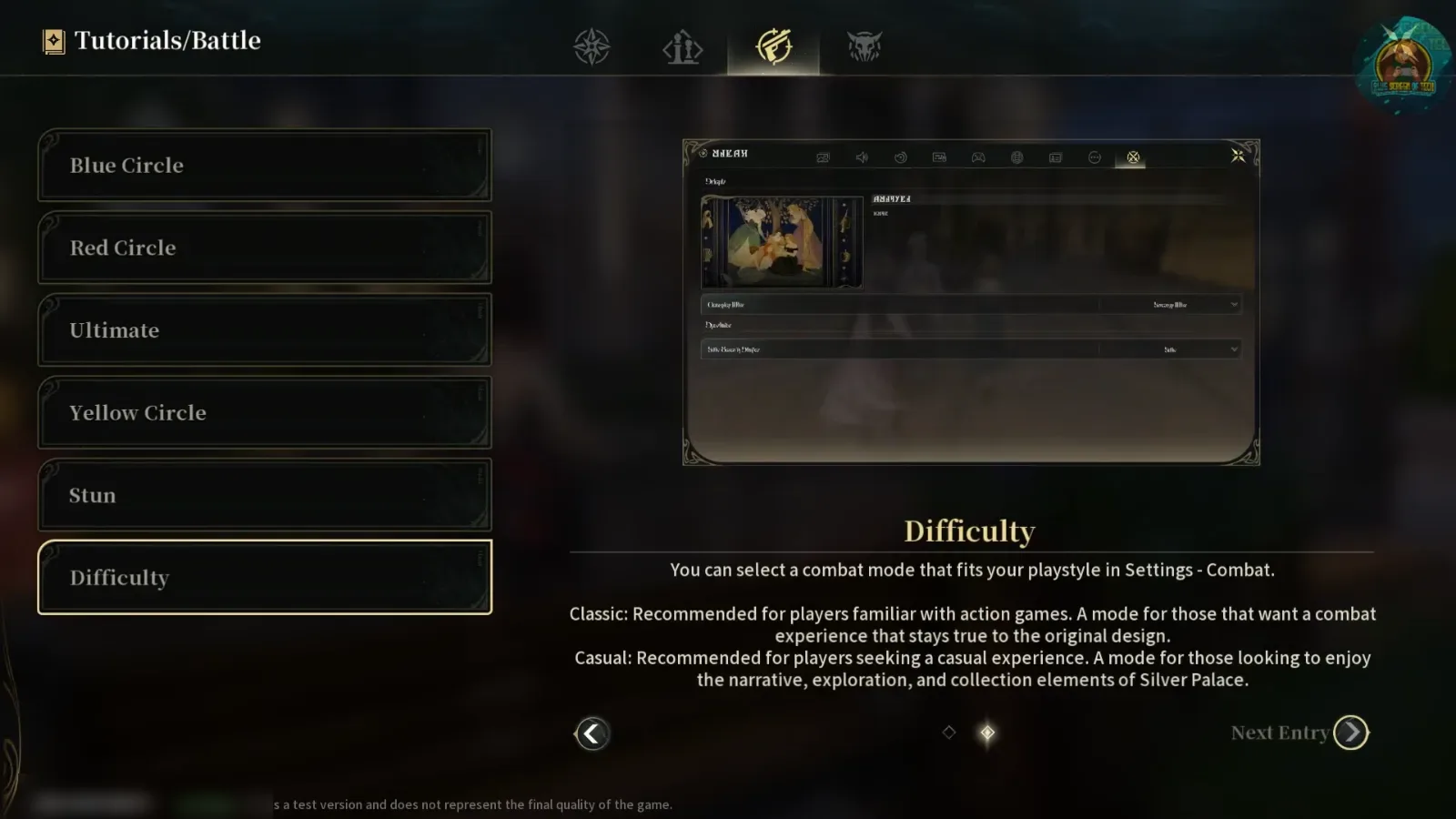
The Difficulty entry gives the whole official definition in four lines:
You can select a combat mode that fits your playstyle in Settings - Combat. Classic: Recommended for players familiar with action games. A mode for those that want a combat experience that stays true to the original design. Casual: Recommended for players seeking a casual experience. A mode for those looking to enjoy the narrative, exploration, and collection elements of Silver Palace.
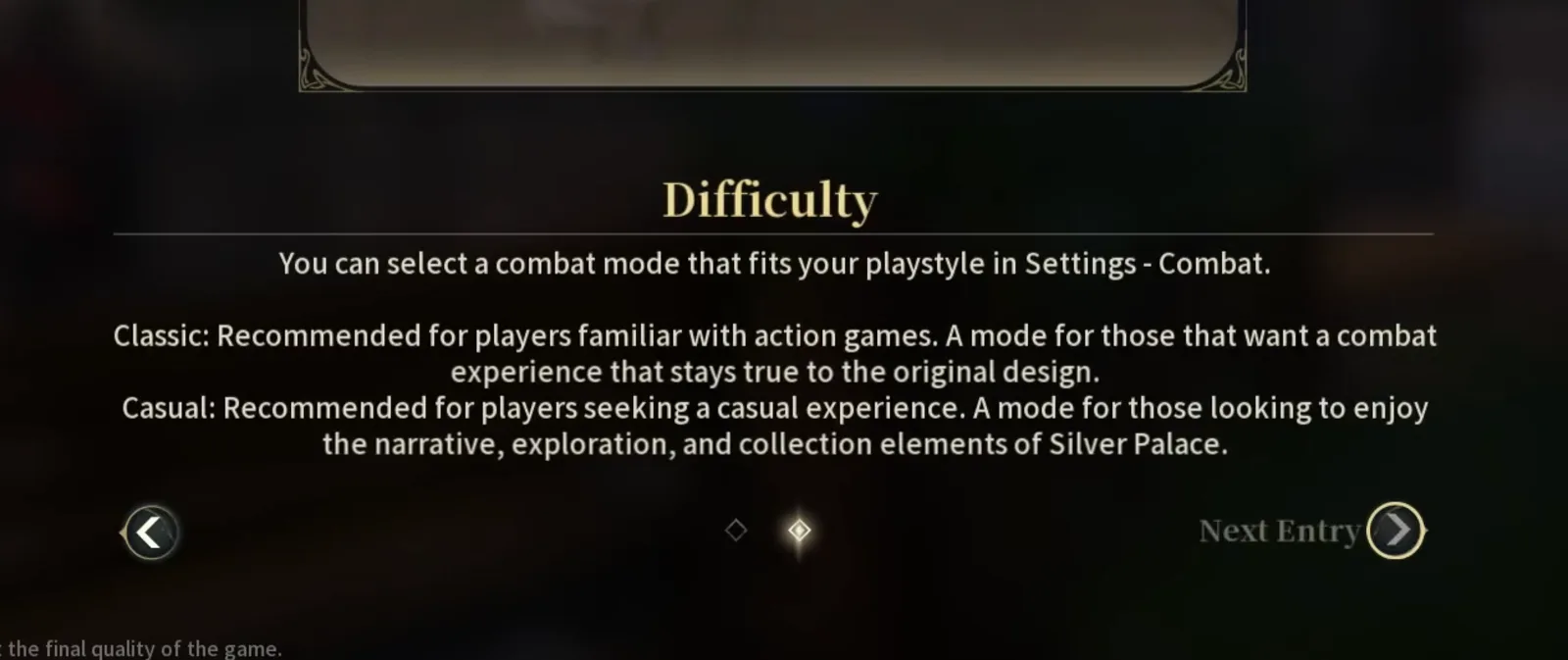
Elementa does not frame Casual as a cheat or a lower tier. The tutorial calls Classic the original design and Casual a mode for players who care more about the story than about parry timing. Nothing in the text says Casual changes rewards.
Classic vs Casual: what changes?
| Classic | Casual | |
|---|---|---|
| Where you set it | Settings - Combat | Settings - Combat |
| Recommended for | Players familiar with action games | Players who want the story, exploration and collecting |
| Basic attacks | Main attack, skill, Ultimate and switches, all timed by you | Repeated left-clicks trigger "a variety of stylish combos" (official) |
| Incoming attacks | Yellow circle: parry. Red circle: dodge | Same circles, plus a prompt when you are about to be hit (official) |
| Time Dilation | Not mentioned for Classic in the official posts | Triggers when Casual is on (official) |
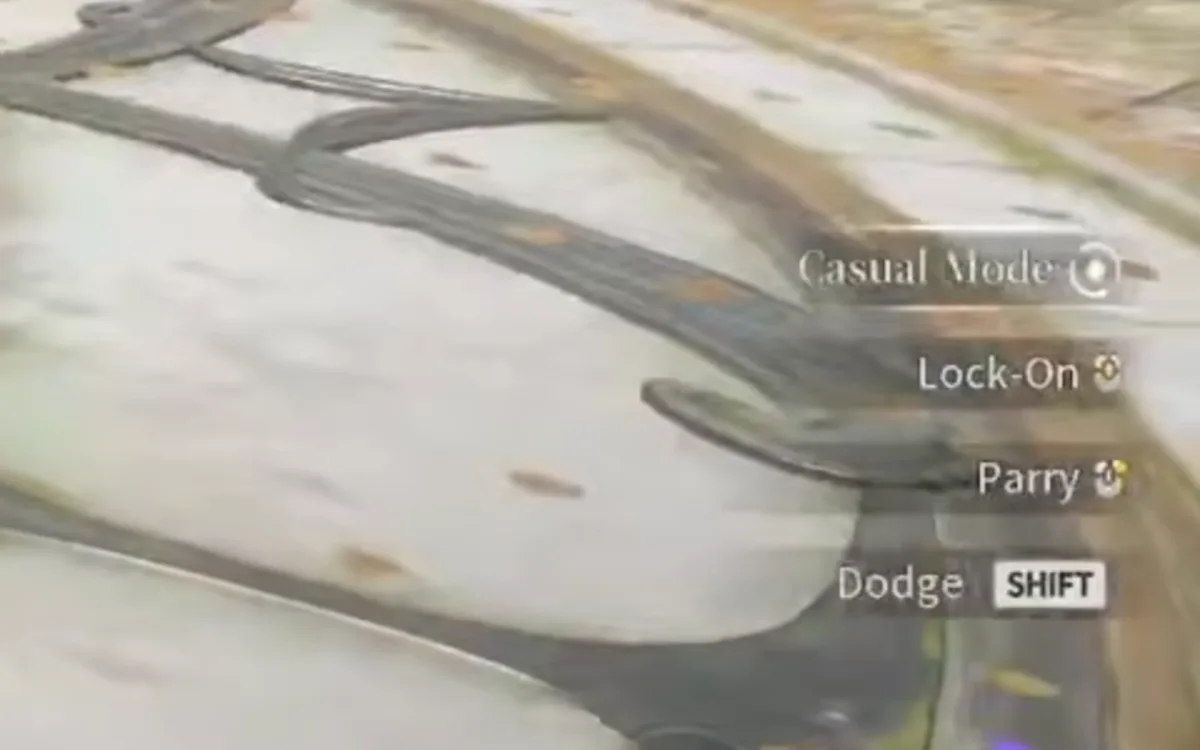
| HUD key hints (Pyrrh's footage) | Lock-On, Parry, Dodge SHIFT | An extra "Casual Mode" line above them |
| Footage of the mode in action | Blue Screen Of Tech's full combat audit (Classic only) | None of the casual-only prompts on camera |
| Effect on rewards | None stated | None stated |
Rows marked "official" quote Elementa's Combat Edition post. The HUD row comes from Pyrrh's video. The rest comes from the tutorial page above.
How do you turn on Casual Mode?
The tutorial points to Settings - Combat. That settings page itself does not appear in any footage we found, so we cannot show you the toggle or say whether it is a switch or a list.
Two things suggest you can change it after you start. The tutorial sends you to Settings rather than to a choice at account creation. And Pyrrh says that when they first started they were so bad at combat that "it actually suggested that I switch" (1:48): the game itself pointed them to an easier mode.
What does Casual Mode do in a fight?
Elementa's Combat Edition post lists three effects:
- Click combos. "By repeatedly clicking the left mouse button, you can trigger a variety of stylish combos with ease."
- Time Dilation. With Casual Mode on, "characters will trigger a Time Dilation effect", a slowdown.
- A hit warning. In the same sentence, characters are "shown a prompt when they are about to be hit".
The post's stated aim is that "even Detectives experiencing Silvernia for the first time can remain calm amid the clash of blades".
No footage we have shows any of these three effects. The creators we checked either play on Classic or never show the prompts. Blue Screen Of Tech says at the start of the combat audit that all the combat shown is "the classic combat setting and not the casual mode" (0:42). So we can quote what Elementa promises, but we cannot show what the prompt looks like, how long the slowdown lasts, or which combos the clicks produce. We will add frames when a creator records them.
Is there a third, auto-fight mode?
This is where the sources disagree. In their beta guide, Pyrrh describes three tiers (1:21):
- "the standard one that you do all of the moves yourself";
- "a second easier mode that will pause when it's time to parry or dodge";
- "an even easier mode that will fight for you if you just hold the left mouse button".
The game's own tutorial names two modes, Classic and Casual. Pyrrh's description does not map neatly onto them. Their "pause" may be the Time Dilation the official post describes, which slows time rather than stopping it. Their hold-to-fight mode may be Casual's click combos, a separate assist option, or a third setting the tutorial page does not list. Elementa's text says repeatedly clicking, not holding.
We cannot settle it from the footage. Credit to Pyrrh for describing it. Until a frame of the Settings - Combat page shows up, the confirmed list is Classic and Casual. Pyrrh also says they button-mashed almost to the end of Act 4 with the Detective and free characters before they "even knew about the auto combat methods" (7:00).
What the HUD shows in Casual Mode
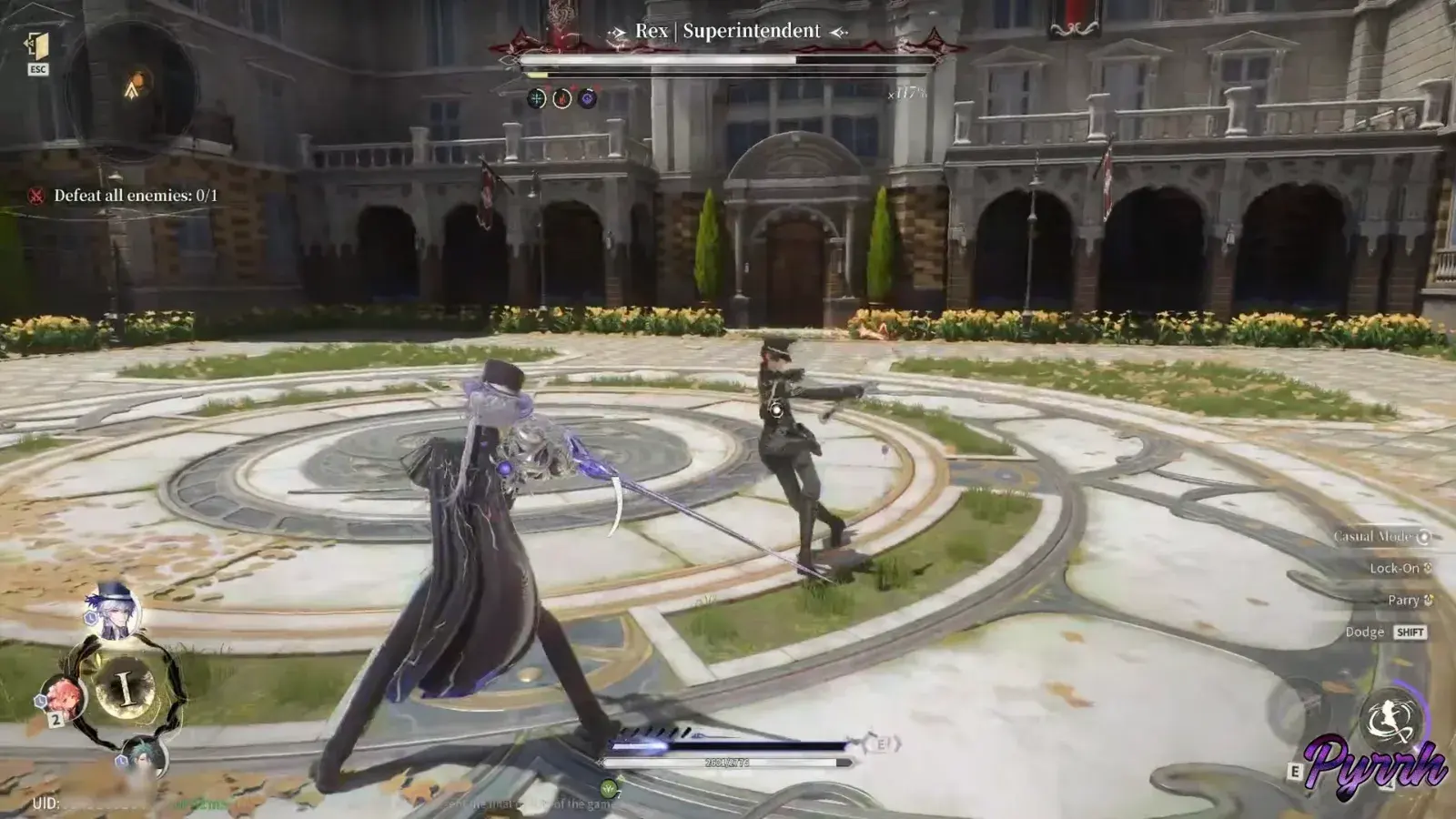
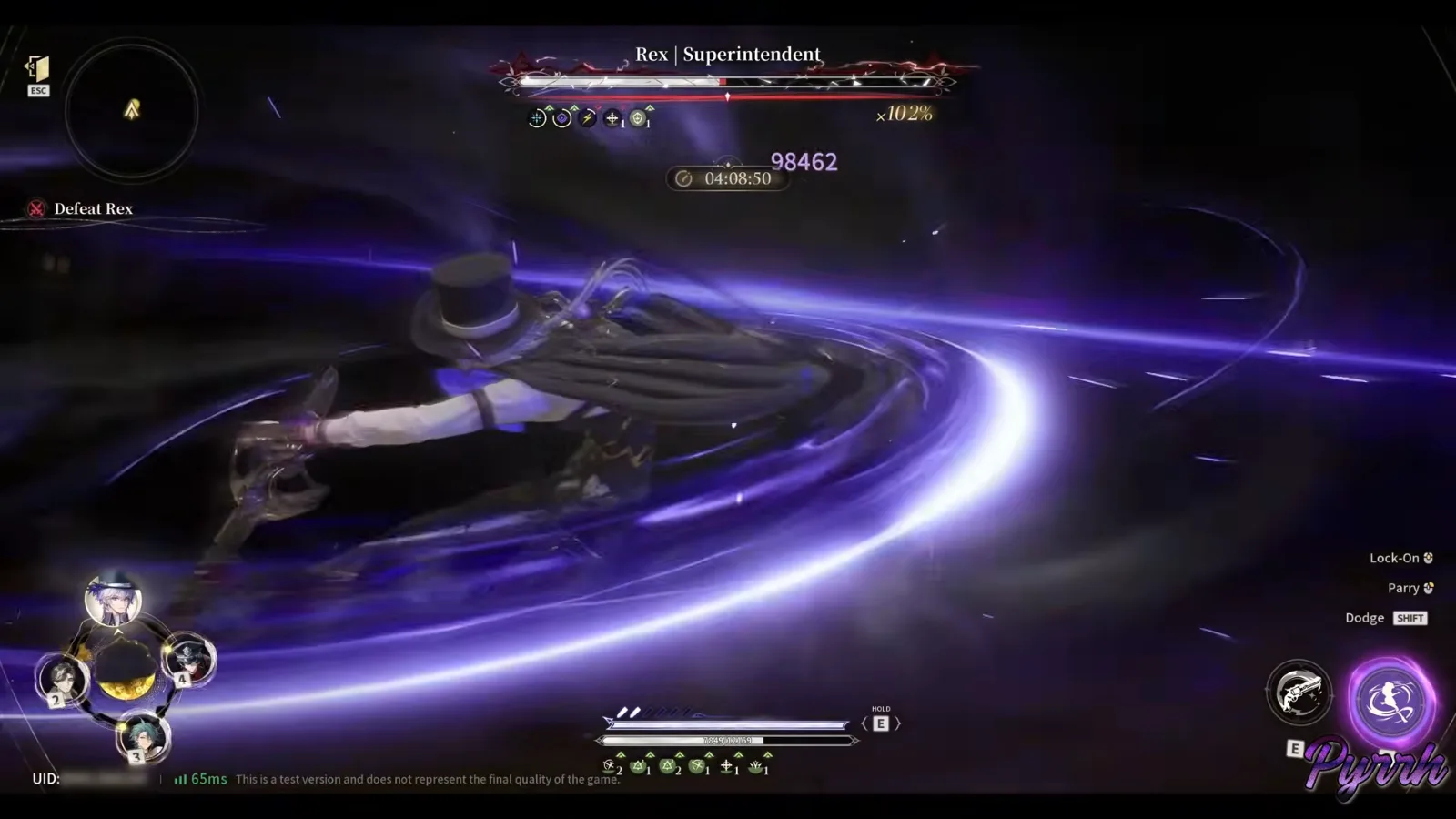
Pyrrh's footage holds the one on-screen trace of the setting during a fight. At 1:28, while Pyrrh talks about the fight modes, the footage shows a fight against the boss version of Rex, "Rex | Superintendent". The key hints in the bottom-right corner read Casual Mode, Lock-On, Parry and Dodge SHIFT.
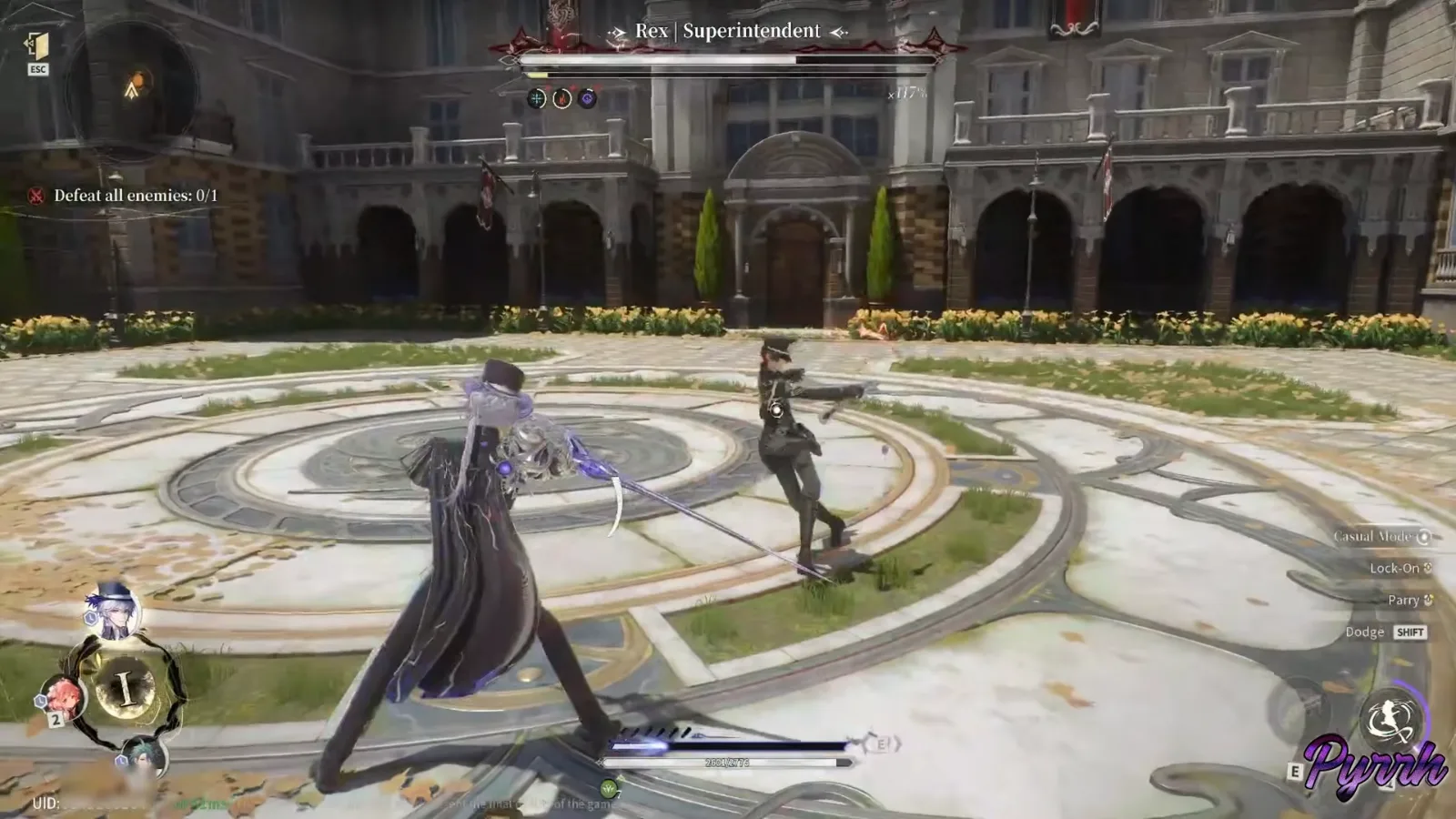
The crop below makes the line readable. It has a button icon next to it, like the other hints, so it reads as a control: something you press. The footage does not show it being pressed. It could switch the mode, or open the assist. We do not know.
Later in the same video, at 6:28, the same boss fight shows only Lock-On, Parry and Dodge SHIFT. We read the missing line as Casual Mode being off in that clip, but Pyrrh does not say so.
Does Casual Mode affect endgame or rewards?
Nothing official says so either way. The Combat Edition post and the tutorial page list no reward penalty, and no creator has tested Casual Mode in the endgame. Two open questions matter if you plan to use it:
- Thought Experiment scores stars by time left on the clock (see our Deep Cognito and Thought Experiment guide). Whether Casual Mode is allowed there, and whether its slowdowns cost you time, is unknown.
- Hilbert's Hotel has you control one character with three support calls (see the game modes guide). How Casual's combos work in that setup has not been shown.
What does Classic ask you to learn?
Classic leaves every input to you, and Elementa's Combat Edition post lists what that covers:
- Parries. A yellow circle appears as an enemy winds up; parry just before the hit to take less damage and hit back. Successful parries chain into combos.
- Executions. Once an enemy is Stunned, an Execution deals heavy damage and leaves it in a Weakened state for a short window.
- Synchronised Combat. Switch out during a Charged Attack or Charged Skill and the outgoing character stays on the field to finish it, so two characters fight at once.
- Resonance Effects. Attacks fill each character's Resonance meter, and a full meter triggers an effect tied to their Reactor attribute (see the Resonance guide).
The Tutorials menu shown above holds a page for each circle colour and for Stun, so you can reread the rules between fights.
Should you play Classic or Casual?
Pick Classic if you have played action games. Silver Palace's combat runs on parries: Elementa's post says a parry cuts the damage you take and hits back, and successful parries chain into combos. Rexlent's beta footage shows parries hitting for about 8,000 damage in a boss fight, and says they carry invincibility frames. Classic is the mode that teaches that loop, and the combat style guide explains how each role feeds it.
Pick Casual if you are here for the cases. The tutorial recommends it for exactly that, and Pyrrh's experience suggests the story does not demand much: they button-mashed almost to the end of Act 4, where one boss needed more skill and some character building (6:50).
Since the setting sits in Settings rather than at account creation, starting on Classic and dropping to Casual for one hard boss looks possible. Our beginner guide and tips and tricks cover the first hours either way.
Does Casual Mode work on controller and mobile?
Not confirmed. Elementa's description only mentions the left mouse button, and every frame here comes from PC. At launch on 14 December 2026, Silver Palace also comes to PS5, iOS and Android. How Casual's click combos map to a gamepad or a touch screen has not been announced. PC players can check the system requirements in the meantime.
Sources
- Elementa: "The Science of All Things - Combat Edition", 22 July 2026 (Casual Mode, Time Dilation, hit prompt)
- Creator videos: Pyrrh Gacha, Blue Screen Of Tech, Rexlent
Frequently asked questions
5 answers, always open
- Does Silver Palace have an easy mode?
- Yes. Silver Palace has two combat modes, Classic and Casual, chosen in Settings - Combat. The in-game tutorial recommends Casual for players who want to enjoy the narrative, exploration and collection side of the game, and Classic for players familiar with action games. This is the Dichotomy beta setup, as of 31 October 2026.
- What does Casual Mode do in Silver Palace?
- According to Elementa's Combat Edition post (22 July 2026), Casual Mode lets you trigger a variety of combos by repeatedly clicking the left mouse button, adds a Time Dilation effect, and shows a prompt when your character is about to be hit. No creator footage we have found shows these prompts on screen yet.
- How do you turn on Casual Mode in Silver Palace?
- The in-game tutorial (Tutorials > Battle > Difficulty) says you select your combat mode in Settings - Combat. In the Dichotomy beta the game could also suggest the switch itself: Pyrrh Gacha says it did when they struggled in early fights. The settings screen itself has not been shown in any footage we found.
- Is there an auto-battle mode in Silver Palace?
- Unconfirmed. Pyrrh Gacha describes three tiers in the Dichotomy beta, including one that fights for you while you hold the left mouse button, but the game's own tutorial names only two modes, Classic and Casual, and Elementa's text describes repeated clicking, not holding. Until the settings screen is shown, Classic and Casual are the only confirmed options.
- Does Casual Mode reduce rewards in Silver Palace?
- Nothing official says so. Neither the Combat Edition post nor the in-game tutorial mentions any reward penalty for Casual Mode, and no creator has tested it in Thought Experiment or Hilbert's Hotel. This is based on Dichotomy beta information as of 31 October 2026 and may change at launch on 14 December 2026.